
Thank you for using Jicoo.
Jicoo has updated its pricing plans to a structure that is clearer and better suited to team usage. This page summarizes the new plan lineup, the impact on existing customers, and the features that are no longer available on the free plan.
Effective date: 2026/8/27
1. The new pricing plans
The updated lineup consists of the following four plans.
| Plan | Best for |
|---|---|
| Individual (formerly the Free plan) | Basic scheduling for individuals |
| Team | Team scheduling, routing, payments, and integrations |
| Business | Security rules, audit logs, and company-wide controls |
| Enterprise | Annual contracts for 30+ seats with dedicated onboarding, engineering support, SLA, and dedicated database options |
For pricing and feature details, please see the pricing page.
2. The free plan has been renamed (Free → Individual)
The free plan has been renamed from "Free" to "Individual."
- This is a name change only. No migration of your subscription or account information is required.
- The name shown in the dashboard and in our emails will change to "Individual."
- The plan remains free. Billing will not start automatically.
Alongside the rename, the plans that include certain features have been revised. Please see "4. Features no longer available on the Individual plan (formerly Free)" below.
3. About your current subscription
If you are currently subscribed, you can continue using your plan as before.
- Existing paid subscribers keep the features that were available at the time of purchase. This update does not remove features from your current subscription.
- No action is required on your side.
Note: The Pro and Max plans are no longer available for new subscriptions. On the plan management screen, these plans are labeled as legacy plans that are no longer sold.
4. Features no longer available on the Individual plan (formerly Free)
With this update, the following features require the Team plan or higher. If you are on the free plan, these features are no longer available to you as of the effective date.
4-1. Routing
Available on: Team plan or higher
Your forms continue to accept responses, but responses are no longer routed automatically based on their content.
- Respondents are no longer forwarded to a booking page, an external URL, or a conditional message, and instead land on the standard completion page.
- No error is shown, so the form appears to be working normally at first glance. Bookings that previously came through your form may stop happening, so we recommend testing your form once.
- Your routing settings and past response data are not deleted. If you upgrade to the Team plan or higher, routing resumes with the same configuration as before. No reconfiguration is needed.
4-2. API keys and the REST API
Available on: Team plan or higher
- Requests made with an existing API key return an error (HTTP 403).
- New API keys can no longer be issued.
- If you call the Jicoo API from your own system, a CRM, or a no-code tool, that integration will stop working. Errors may surface in the system calling the API, so we recommend checking your integrations in advance.
- Your issued API keys and your booking and form data are not deleted. If you upgrade to the Team plan or higher, you can resume the integration with the same key. No key rotation and no changes on the calling side are required.
4-3. External connect (new sign-ups only)
Available on: Team plan or higher (applies to free plans registered on or after the effective date)
- If you were already on the free plan before the effective date, you can continue to use external connect.
- For free plans registered on or after the effective date, external connect requires the Team plan or higher.
To keep your current workflow
If you want to keep using the features above, please consider upgrading to the Team plan or higher. You can change your plan from the plan management page in the dashboard.
5. Frequently asked questions
About plans in general
Q. I am on the free plan. Will I be switched to a paid plan automatically?
No. The plan is simply renamed from "Free" to "Individual," and billing will not start automatically. You can continue using Jicoo for free.
Q. What is the "Individual" plan?
It is the new name for what was previously the "Free" plan. It is free to use and suited to basic scheduling for individuals.
Q. Is it only the name that changed, or does anything else change?
Some things do change. Routing and API keys require the Team plan or higher as of the effective date. Please see section 4 above.
Q. I am on the Pro or Max plan. Will I lose access?
No. If you are currently subscribed, you can continue using your plan, and the features available at the time of purchase are preserved. Note that both plans are closed to new subscriptions.
Q. Who can change the plan?
Only the team owner can change the plan. If you are not the owner, please ask your team owner.
Q. Where can I check my current subscription and billing?
You can check them on the plan management page in the dashboard.
About routing
Q. My form still works, but respondents are no longer taken to the booking page.
This is because routing is no longer available on the free (Individual) plan. Responses are still accepted, but they are not routed based on their content, and respondents land on the completion page. If you upgrade to the Team plan or higher, routing resumes with your previous settings.
Q. Were my routing settings deleted?
No. Your settings and past response data are preserved. After an upgrade, everything works as before without any reconfiguration.
Q. How can I keep using routing?
You need to upgrade to the Team plan or higher. You can change your plan from the plan management page in the dashboard.
About the API
Q. My API calls started returning a 403 error.
This is because API access is not included in the free (Individual) plan. If you upgrade to the Team plan or higher, you can resume the integration with the same API key.
Q. I cannot issue a new API key.
Issuing API keys requires the Team plan or higher. New keys cannot be issued on the free plan.
Q. Will my existing API keys be deleted?
No. You can continue using the same key after an upgrade. No key rotation and no changes to the calling system are required.
About upgrading and downgrading
Q. If I upgrade, will my previous settings come back?
Yes. Your routing settings, API keys, and booking and form data are all preserved, so you can use them right away after upgrading.
Q. What happens if I downgrade to a lower plan?
Settings that are only available on higher plans are disabled. If you upgrade again, the applicable settings are restored automatically.
6. Contact us
- Pricing and feature details: Pricing page
- Inquiries about corporate or team usage: Contact form
- Questions about setup and usage: Help center
Jicoo will continue to improve its products to make them easier to use. Thank you for choosing Jicoo.
About Jicoo
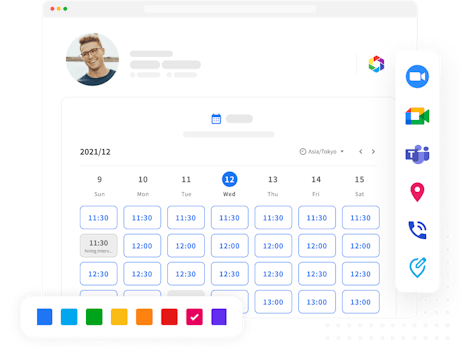
Introducing a schedule adjustment tool has many advantages for improving business efficiency. If you are having trouble choosing which schedule adjustment tool is best for you, we recommend that you start with a schedule adjustment tool that you can start using for free and that is fully equipped with features such as service integration and design customization as needed.
What is Jicoo, a free scheduling tool for teams?