
Automatic booking reminder emails
With Jicoo, you can automatically send reminder emails to the guest and the host before a booking starts.
PlanTeam / Business / Enterprise
- Target Audience
- What is this feature?
- Send reminders automatically before a booking starts
- Change the timing and number of reminders
- Customize the reminder text
- Reminders to hosts on Slack
- Requirements
- Limitations
- How to use
- Frequently Asked Questions
- Related Integrations
With Jicoo, you can automatically send reminder emails to the guest and the host before a booking starts.
Target Audience
- Those who want to automate pre-meeting contact to reduce no-shows
- Hosts who want to spend less effort contacting guests
What is this feature?
Send reminders automatically before a booking starts
As a booking approaches, reminder emails are sent to the guest and the host. For each booking page, you can turn the guest reminder email on or off. Even if you turn it off for guests, the host still receives its email.
Change the timing and number of reminders
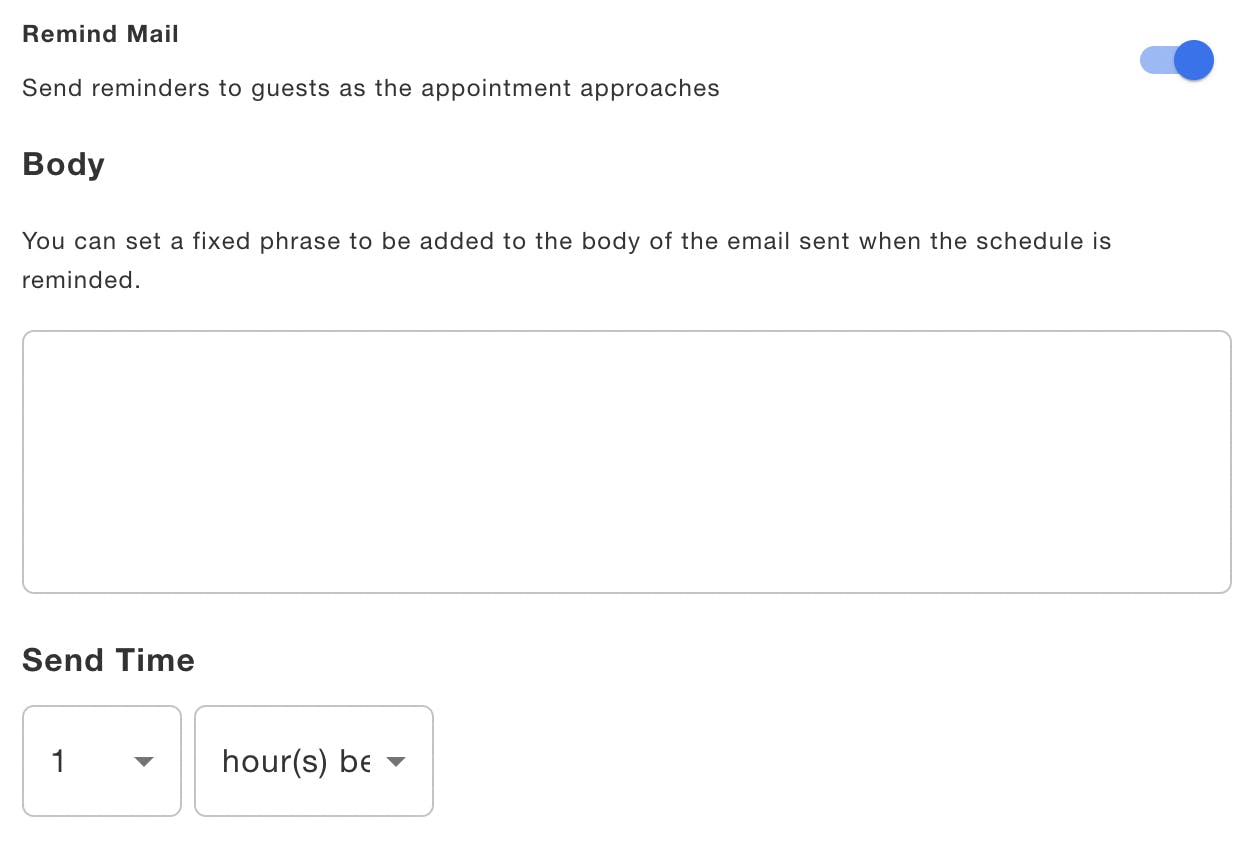
You can set the timing as minutes, hours, or days before the start, up to 4 weeks before. You can set up to 5 reminder emails (for example, one 1 day before and one 1 hour before).
Customize the reminder text
You can edit the subject and the canned text added to the body of the reminder email. Template variables such as the guest name, booking name, and date are available.
Reminders to hosts on Slack
A host who has connected Slack receives the reminder as a Slack DM.
Requirements
- Changing the timing and sending multiple reminders: available on the Team plan and above. Below the Team plan, the reminder is sent once, 1 hour before the start.
- Customizing the subject and the text added to the body: available on the Team plan and above.
- Slack notifications: the assigned host must have connected Slack. Available on the Individual plan and above.
Limitations
- Reminders are sent only before a booking starts. You cannot set a timing earlier than 4 weeks before the start.
- Notification members do not receive reminder emails (they do receive emails for created, canceled, and rescheduled bookings).
- Slack reminders go only to the assigned host as a DM. Even if a Slack channel is set on the booking page, reminders are not posted to the channel.
- You cannot use different text for each reminder. Replacing the whole body, custom buttons, and file attachments are not supported.
- SMS reminders are provided separately as an add-on (SMS).
How to use
In the booking page editor, open the "Workflow" tab and configure "Remind Mail".
Frequently Asked Questions
Related Integrations
 Slack