
Wed, Nov 4, 2026
Choose a style and background color for meeting analysis summary images
Highlights
You can now choose from 3 styles and 9 background colors for meeting analysis summary images. The combination your team saves is used for all summary images generated or regenerated after that.
What's changed
- Added "Summary image settings" to the meeting analysis settings. You can choose a style (Basic / Monotone / Natural) and a background color (White, Gray, Blue, Green, Yellow, Orange, Red, Pink, Purple)
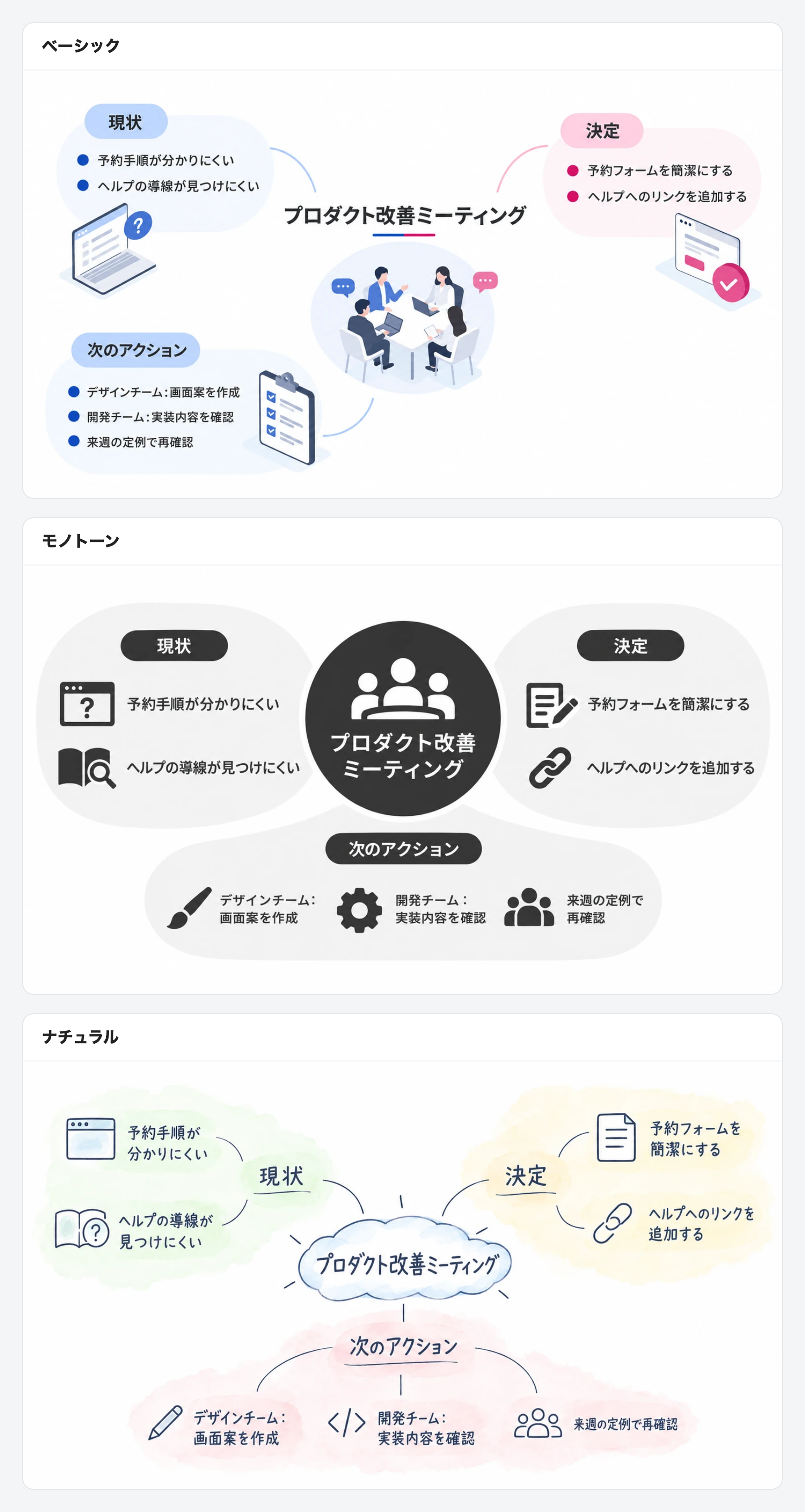
- Sample images for each style can be viewed in Japanese or English
- Settings are saved per team, and only admins can edit them
- Teams that have not changed the settings get the Basic style with a White background
- Existing summary images are not changed. To apply new settings to one, regenerate it
- Summary images now organize the key points of the summary into 4–6 short keywords and use a layout with plenty of white space