Tue, Oct 6, 2026
Seminar-style booking pages can now have a different capacity for each time range
Main Changes
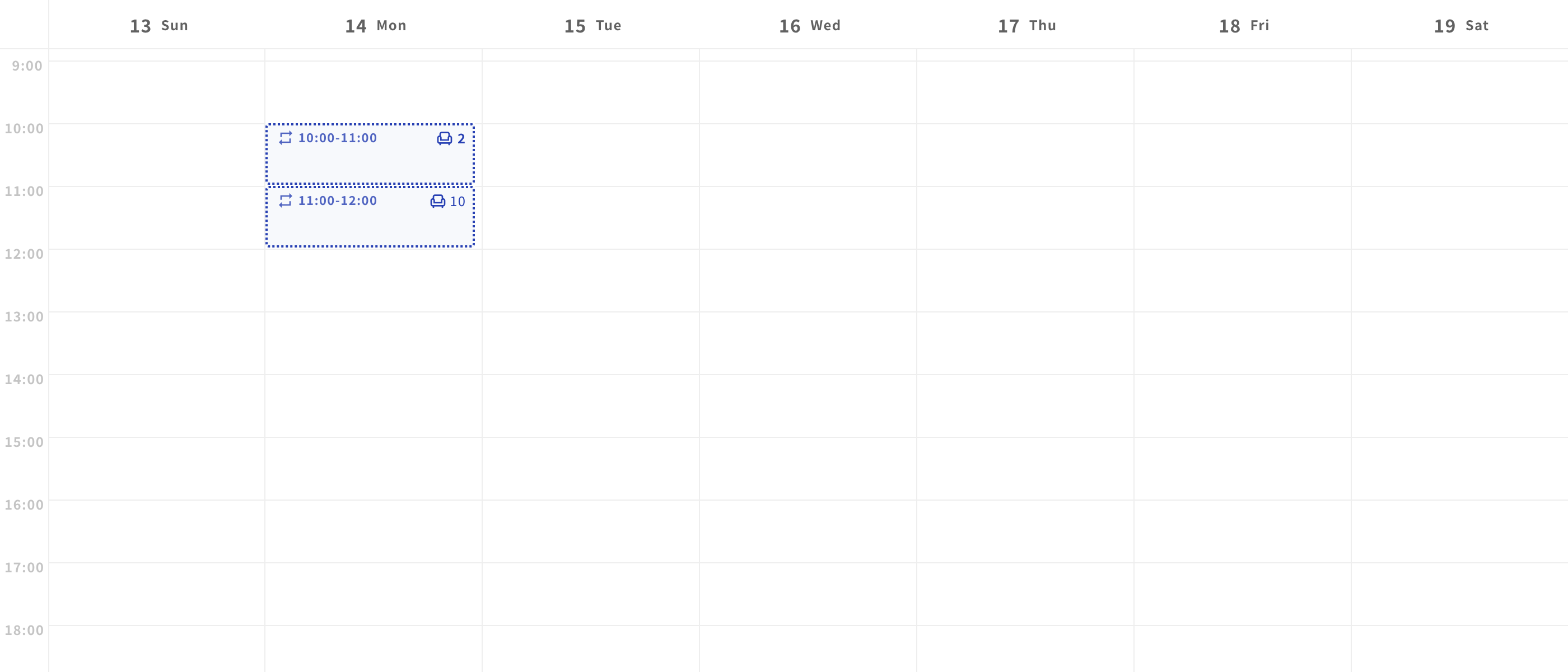
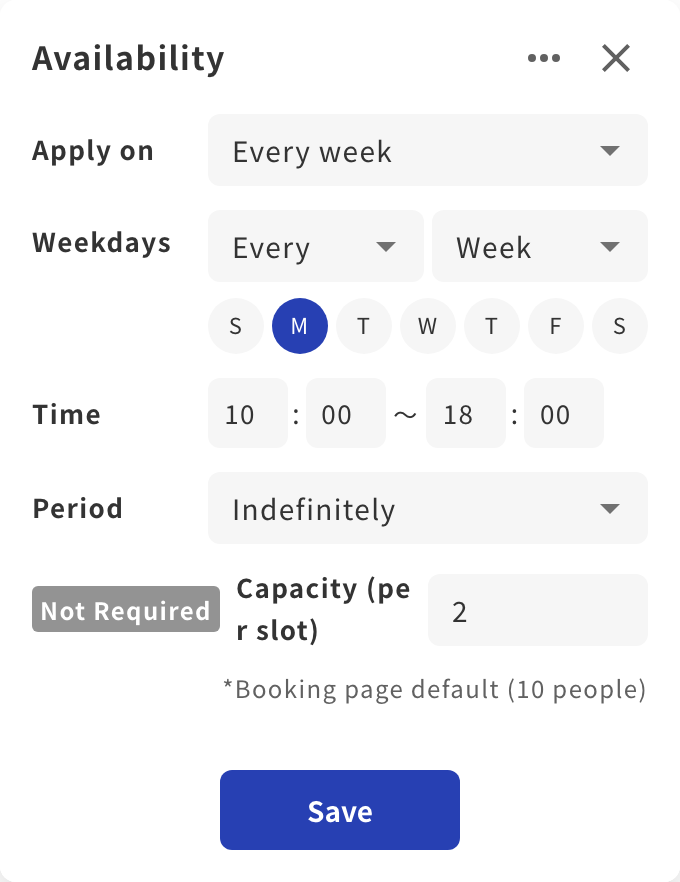
On seminar-style booking pages with a booking capacity set, you can now set a capacity for each time range (slot) in the availability schedule. For example, you can allow 2 guests on Monday 10:00-11:00 and 10 at all other times on a single booking page, instead of creating a separate booking page for each capacity.
What's Changed
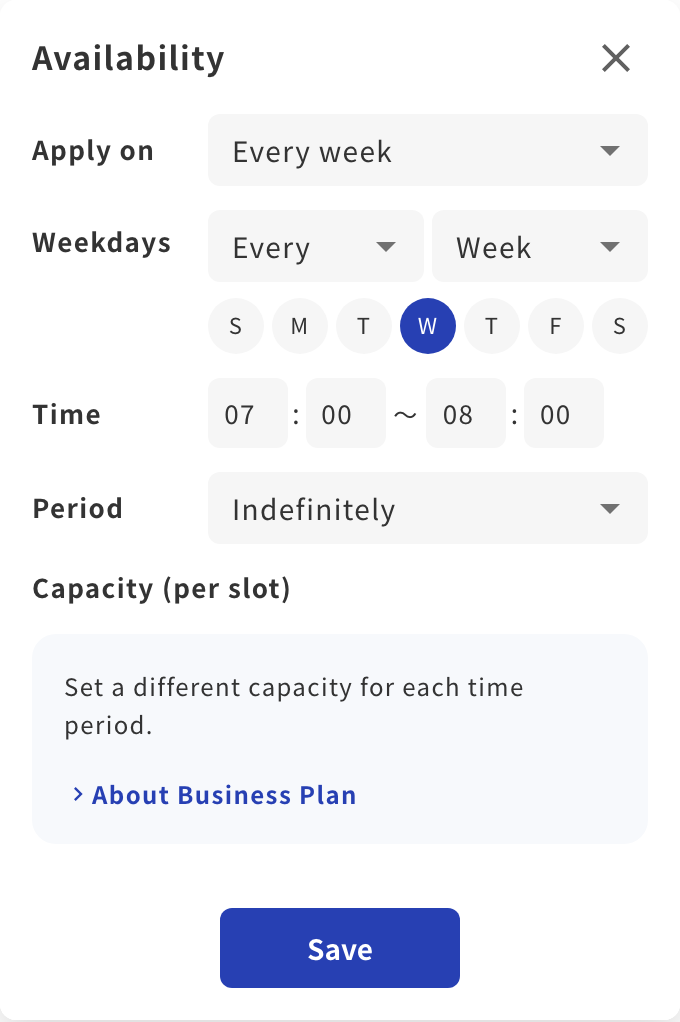
- In the booking page editor, go to Availability > Availability schedule, choose "Custom settings", and open a time range to enter "Capacity (per slot)". You can set 1 to 999 people; time ranges left blank use the booking page's capacity.
- The list and calendar views of the availability schedule show the capacity of each time range.
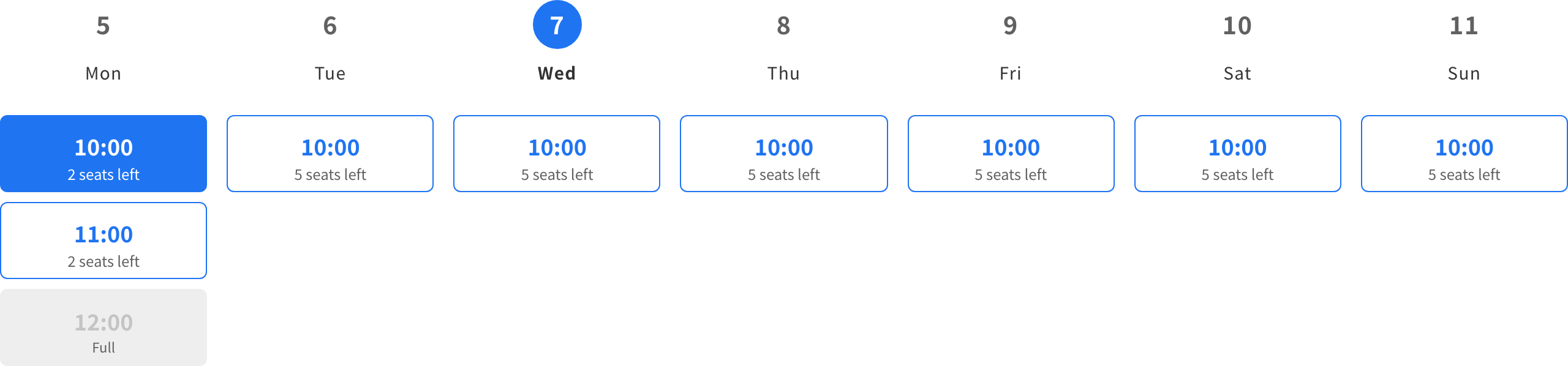
- Remaining seats and "Full" on the guest booking page, booking acceptance, and the capacity shown in the booking list and booking details in the dashboard all use the capacity of each time range.
- A time range with its own capacity cannot overlap another time range, and the capacity cannot be lowered below the number of bookings already made.
- Capacity per time range cannot be set on availability schedule templates.
- Available on the Business plan or above. If you move to a plan below Business, the values you set are kept but not applied, and bookings use the booking page's capacity.